Support for the widely-used Windows 10 operating system came to an
end, as planned, in October 2025.
This doesn’t mean your Windows 10-based computer won’t work any more,
but there’ll be no more software updates for
it — which effectively means you should stop using it, for both your own
security and that of people you connect with. In fact, phasing out
unsupported software is good for the overall health of the Internet.
Am I using Windows 10?
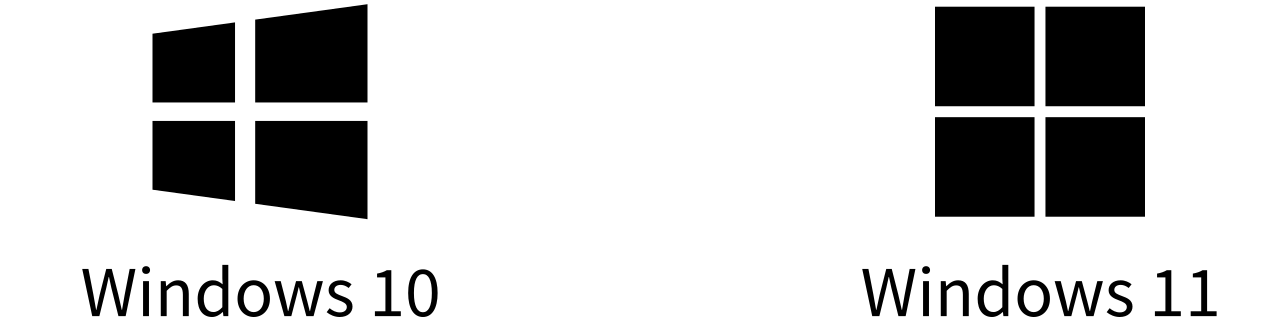
You’re using Windows 10 if you see the angled Windows logo in the
bottom-left corner of your computer screen:
What you can do
If you’re still using Windows 10, you have three choices — though not
all may apply or appeal to you:
- Upgrade to Windows 11. If your computer meets the
requirements – essentially, if it’s new enough – you can upgrade to
the current version of Windows for free. See the note on Windows 11
requirements below.
- Get a new computer. Windows 11 was released in
2021, so pretty much every Windows-based computer available to buy today
comes with it.
- Switch to Linux. This is a more niche option but,
depending on your needs, you might be able to replace Windows with an
increasingly-popular alternative called Linux. Linux comes in numerous
‘distributions’, most of which are free, and a popular one for home and
office use is Ubuntu. Most of
what you can do with Windows can be done with Ubuntu, but it might take a
bit of getting used to.
A temporary fix
If you’re not ready to do one of the above right now, you should at least
enrol your PC in Microsoft’s
Extended Security Updates programme. This extends support
until 13 October 2026, giving you a little more time to move off
Windows 10.
Windows 11 requirements
Download and then open Microsoft’s
PC Health Check app to
confirm your computer’s eligibility for Windows 11.
In terms of techical requirements, the bar is quite high. Most notably
you’ll need:
- A recent enough processor. When it comes to the common
Intel i3, i5 and i7 processors, this means at least an eighth generation
model, which effectively means computers that were new in late 2017 or
since.
- A version 2.0 TPM. The computer must have a security
chip called a Trusted Platform Module; specifically a version 2.0 TPM.
These appeared on business-focussed devices a little earlier than
consumer models, but are now common to all Windows-based computers.
Upgrading a processor or adding a TPM is at best non-trivial and in many
cases impossible. So, if your computer does not meet these requirements, a
new machine is probably in order.